


The Epoch Times: Breaking News
4.815.42K Reviews
App Specs
- Version
- 3.1.21
- Updated On
- License
- Free
- Downloads
- 1,000,000+
- Developer
- Epoch Times Association Inc
- Categories
- News & Magazines
- Platform
- Android
Screenshots
 Analysis by AppCompare
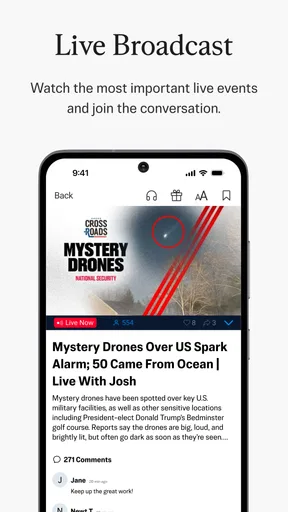
I use a news app differently depending on the day: sometimes I want a quick glance at the headlines, and sometimes I want to sit with a longer report and understand the argument behind it. The Epoch Times: Breaking News is aimed more at the second habit than at a bare-bones stream of alerts. Its mix of national and international coverage, China-related reporting, live news and opinion gives it a distinct editorial identity, so I would approach it as one publication’s view of the news rather than as a neutral window onto every side of a story.
Reading with a clear sense of perspective
That distinction matters most when a story is politically charged or still developing. I find it useful to separate what an article reports as an event from the analysis or opinion it builds around that event. When a piece makes a strong claim, I would check the underlying details against other reputable outlets before treating its interpretation as settled. That is not a reason to avoid the app; it is a sensible way to use any publication with a recognizable editorial perspective.
The Epoch Times Association Inc develops the app, which sits in the News & Magazines category. It is free to install, rated for Everyone, and has an average rating of 4.8 from around 92,000 ratings, with more than 15,000 written reviews and over 1 million installs. Those figures suggest many readers have found a reason to keep it, but they do not tell me whether its editorial approach will suit a particular person. I would decide that by reading a few different kinds of stories, not by relying on popularity alone.
What I would check before settling in
For a reader who wants one publication to follow national developments, China coverage, live updates and opinion, the breadth may be convenient. The trade-off is that breadth does not guarantee the balance or depth someone wants on every subject. I would treat it as a useful source to add to a news routine, especially if its coverage areas are already of interest, rather than automatically making it my only source.
A practical first session is to open a story on a topic you know well and notice how the app handles facts, context and commentary. Then try a subject you follow less closely. Comparing those experiences can help you tell whether the writing gives you enough background to assess a claim, or whether you would prefer to check another source before forming an opinion. I find that more revealing than browsing only headlines that already match my views.
What’s the Buzz Around The Epoch Times?
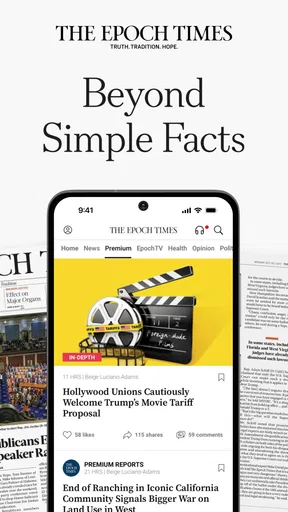
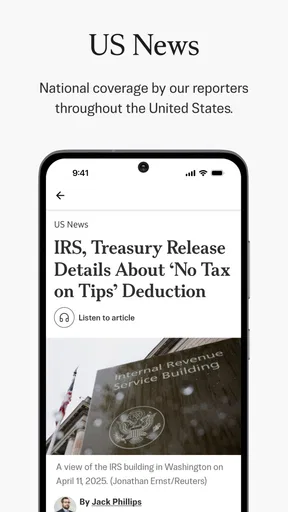
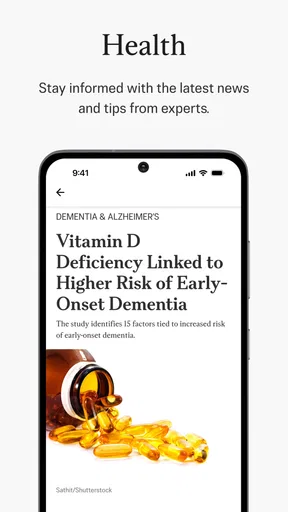
For starters, The Epoch Times: Breaking News isn’t just another news app. It prides itself on offering in-depth analysis and perspectives on a broad spectrum of topics. From politics and international affairs to health and science, this app covers a lot of ground. The layout is clean and intuitive, which means you can easily navigate through different sections without feeling overwhelmed.
Diving Into the Features
One of the standout features of the app is its customizable news feed. You can tailor your feed based on your interests, which is a nifty way to ensure you’re only seeing the type of news you care about. Whether you’re a political junkie or a science enthusiast, there’s something for everyone.
Worth Reading Before You Choose

EA SPORTS FC Mobile 26 Is a Bigger Football Game, but It Takes Time

Flipboard Shows What News Apps Must Do Beyond the Feed

Switching to Android Auto Means Rethinking Your Driving Routine

Google Calendar Makes a Crowded Week Easier to Manage

Ludo King Makes the Most of the Minutes Between Plans

Baby Panda World Brings Quick Play to Modern Phones, but Its Game Library Feels Busy
Another feature I found particularly useful is the offline reading mode. It’s perfect for those moments when you’re on the go and don’t have a reliable internet connection. Simply download articles when you’re online, and you’ll have a treasure trove of content to peruse at your leisure.
User Experience and Design
The app’s design is sleek and user-friendly. With a minimalist approach, it’s easy on the eyes and doesn’t bombard you with unnecessary clutter. The navigation menu is straightforward, ensuring you can find what you’re looking for without jumping through hoops.
One thing I must highlight is the night mode. It’s a small feature, but it makes a big difference when you’re reading in low-light environments. Plus, it’s easy to toggle on and off, depending on your preference.
Content Quality and Variety
Now, onto the content itself. The articles in The Epoch Times are well-researched and feature a mix of breaking news, investigative journalism, and opinion pieces. The app does a commendable job of providing diverse viewpoints, which is refreshing in today’s media landscape.
However, it’s important to mention that the app has its own editorial stance, so some articles may lean towards a particular perspective. This isn’t necessarily a downside, but it’s something to be aware of as you consume the content.
Notifications and Alerts
No one likes being bombarded with notifications, and thankfully, this app respects that. You can customize your alert settings to receive updates only on topics that interest you. This way, you stay informed without feeling overwhelmed by the constant ping of your phone.
Subscription and Pricing
The app offers a free version, but to access premium content, you’ll need to subscribe. The subscription model is pretty standard, offering monthly and yearly plans. If you’re someone who values in-depth reporting and analysis, it might be worth considering.
Making it fit a real routine
A useful way to try the app is to give it a specific job instead of asking it to replace every news source at once. For example, I might use it for a morning scan of its national and China-related coverage, save a longer article for a commute, and then compare an important developing story with reporting from outlets that approach it differently. That routine makes the app’s focused editorial perspective easier to evaluate and helps keep one source from setting the whole day’s agenda.
The feed controls are most helpful when they support that routine rather than narrow it too far. I would choose interests that reflect what I genuinely follow, but leave room to encounter subjects outside my usual lane. If every selection reinforces the same set of concerns, a personalized feed can become less useful as a way to discover what matters beyond them. The practical trade-off is convenience against variety: tailoring can reduce irrelevant stories, while a broader mix can expose gaps in your attention.
Offline reading also works best with a little planning. Before leaving a reliable connection, I would download a few pieces I actually intend to finish, rather than trying to stockpile everything that looks interesting. That keeps an offline queue manageable and turns an idle wait or a patchy commute into reading time. It is particularly useful for longer pieces; it is less helpful if what I need is a live update, since saved material cannot substitute for a current connection and fresh reporting.
Trust, privacy and everyday choices
When I assess a news app through a trust lens, I look for what I can directly control and what I can judge from the reading experience. Here, the visible choices described in the app include tailoring the feed and adjusting alerts. Those controls can make the experience less noisy, but they are not the same thing as a complete picture of how personal information is handled. I would avoid assuming that a quieter notification setup says anything about broader data practices.
My own approach is to grant only the access an app clearly needs for a task I want to use, and to review notification choices in the app and the phone’s settings if alerts become distracting. On a shared device, I would also be careful about leaving a news article open where someone else can see it. These are ordinary habits, not claims about this app’s permissions or privacy policy; they help me keep control over my attention and device regardless of which publication I read.
There is another kind of trust to consider: how much weight to give an article. I would pay attention to whether a story clearly distinguishes reporting from opinion, whether it gives enough context to follow the issue, and whether a major claim is independently corroborated. For breaking news, early accounts can change as facts emerge, so I would treat an initial alert as a prompt to follow developments rather than as the final word. That cautious habit is especially worthwhile when a story is emotionally charged.
Who will get the most from it
I think the app is a better fit for readers who actively want this publication’s mix of national coverage, China-related stories and commentary, and who are comfortable supplementing it with other sources. It may also suit someone who prefers reading full articles on a phone instead of relying only on short social posts. The combination of a tailored feed, alerts and offline reading can support a regular reading habit without requiring every session to be long.
It is less suitable for a person seeking a single, strictly cross-partisan news dashboard, or for someone who wants only rapid headlines from many publishers in one place. In those cases, a broad news aggregator or a collection of publications with clearly different editorial approaches may be a better match. Readers who dislike opinionated coverage should also sample the app before making it their main source; a familiar interface does not erase the viewpoint of the publication behind it.
For a realistic day, imagine checking the app over breakfast, selecting one developing story to follow, and saving a deeper article for later. At lunch, I could read that saved piece offline, then compare its central claims with coverage elsewhere before sharing or acting on them. The benefit is a more considered reading session; the limitation is that this takes more effort than skimming a single feed and accepting its framing. I would see that extra comparison as worthwhile for consequential topics, not necessary for every small update.
What to expect from access and compatibility
The app is free to download, while in-app purchases range from $7.99 to $155.99 per item. I would check the purchase details shown in the app before committing, especially if I only want to read casually or am deciding whether premium access is worthwhile. The existence of paid options does not mean every reader needs them; I would first see how much of the content I can use at no cost and whether the additional access would change my habits enough to justify paying.
It was released on November 25, 2018, and its current version is 3.1.9. It supports Android 5.0 and later, so a phone running an older system may not be compatible. If you are unsure whether your device qualifies, checking its Android version before installing is a quick way to avoid a frustrating download attempt. The Everyone age rating also makes the app broadly accessible, though an age label is not a substitute for deciding whether particular news topics are appropriate for a younger reader.
One reasonable question is whether it can replace a general news app. I would not recommend that as a default: its particular coverage and editorial identity are strengths for readers who want them, but no single publication is a complete substitute for comparing sources. Another question is whether it remains useful away from Wi-Fi; the offline reading option can help with articles saved in advance, while fresh alerts and new coverage depend on being able to connect. And if notifications feel excessive, the sensible first step is to narrow the topics or turn off alerts you do not need, rather than abandoning the app immediately.
Final Thoughts
So, is The Epoch Times: Breaking News app worth your time? I’d say it depends on what you’re looking for in a news app. If you appreciate a wide array of topics, customizable features, and a clean interface, it’s definitely worth checking out. Plus, the offline reading mode is a game-changer for those who are constantly on the move.
Overall, it’s a solid app that offers depth and variety in its content. Whether you decide to stick with the free version or go all-in with a subscription, there’s plenty to explore. Give it a whirl and see if it becomes your go-to source for news.
A careful way to decide
I would start by using it for a week as one part of a reading routine: try different sections, adjust the feed and alerts to suit your day, and notice whether the reporting gives you enough context. For an important story, compare its account with at least one source that has a different editorial approach. That simple test tells you more about fit than the interface or the rating alone.
My cautious verdict is that this is a worthwhile option for readers drawn to its subject mix and willing to read with an eye on perspective. The free entry point makes it easy to explore, while paid items are a reason to check what you are buying before subscribing. I would keep it if its coverage adds something to my routine, but I would not rely on it as my only account of a complex or fast-moving story.
Pros
- Timely news updates keep you informed.
- User-friendly interface for easy navigation.
- Customizable notifications for top stories.
- Offline reading mode is available.
- Supports multiple languages.
Cons
- Ads can be intrusive at times.
- Some content requires subscription.
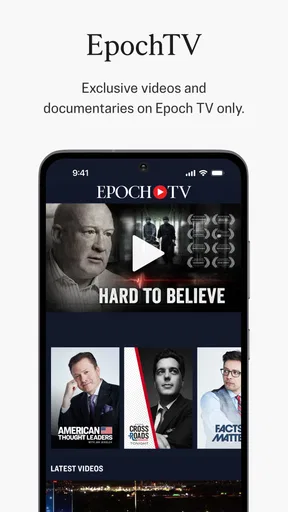
- Limited multimedia content.
- Occasional app crashes reported.
- No dark mode option available.
FAQs for The Epoch Times: Breaking News
What is The Epoch Times app, and what features does it offer?
The Epoch Times app is a comprehensive news platform providing breaking news, in-depth analysis, and exclusive content across various topics such as politics, world events, health, and more. It features a user-friendly interface, customizable notifications, offline reading options, and multimedia content to enhance the news consumption experience.
Is The Epoch Times app free to use, or does it require a subscription?
The Epoch Times app offers both free and subscription-based content. While users can access a selection of articles and breaking news for free, a subscription unlocks full access to premium content, including exclusive reports and in-depth analyses. Subscription plans are available for monthly or yearly rates.
How does The Epoch Times app ensure the accuracy of its news content?
The Epoch Times app prides itself on providing reliable and fact-checked news. The editorial team follows strict journalistic standards, utilizing a rigorous fact-checking process and sourcing information from credible and verifiable sources. The app aims to deliver unbiased and transparent reporting on all covered topics.
Can I customize my news feed and notifications in The Epoch Times app?
Yes, The Epoch Times app allows users to personalize their news experience. You can customize your news feed by selecting preferred topics and categories. Additionally, the app offers customizable notifications, enabling you to receive updates on specific news stories or breaking news alerts that match your interests.
Is The Epoch Times app available for offline use?
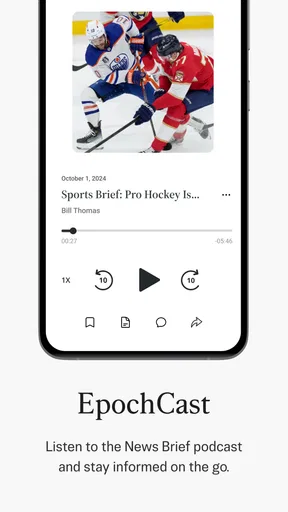
The app includes an offline reading feature that allows users to download articles and read them without an internet connection. This is particularly useful for users who want to catch up on news while commuting or in areas with limited connectivity. Simply save the desired articles to access them later offline.


